Using the schema browser
Browse tables, columns, constraints, and indexes with right-click context menu actions
The schema browser can be found on the left-hand side. It's automatically updated after each executed query,
so that all schema operations can be captured. On table-level, the columns, constraints and indexes are shown:
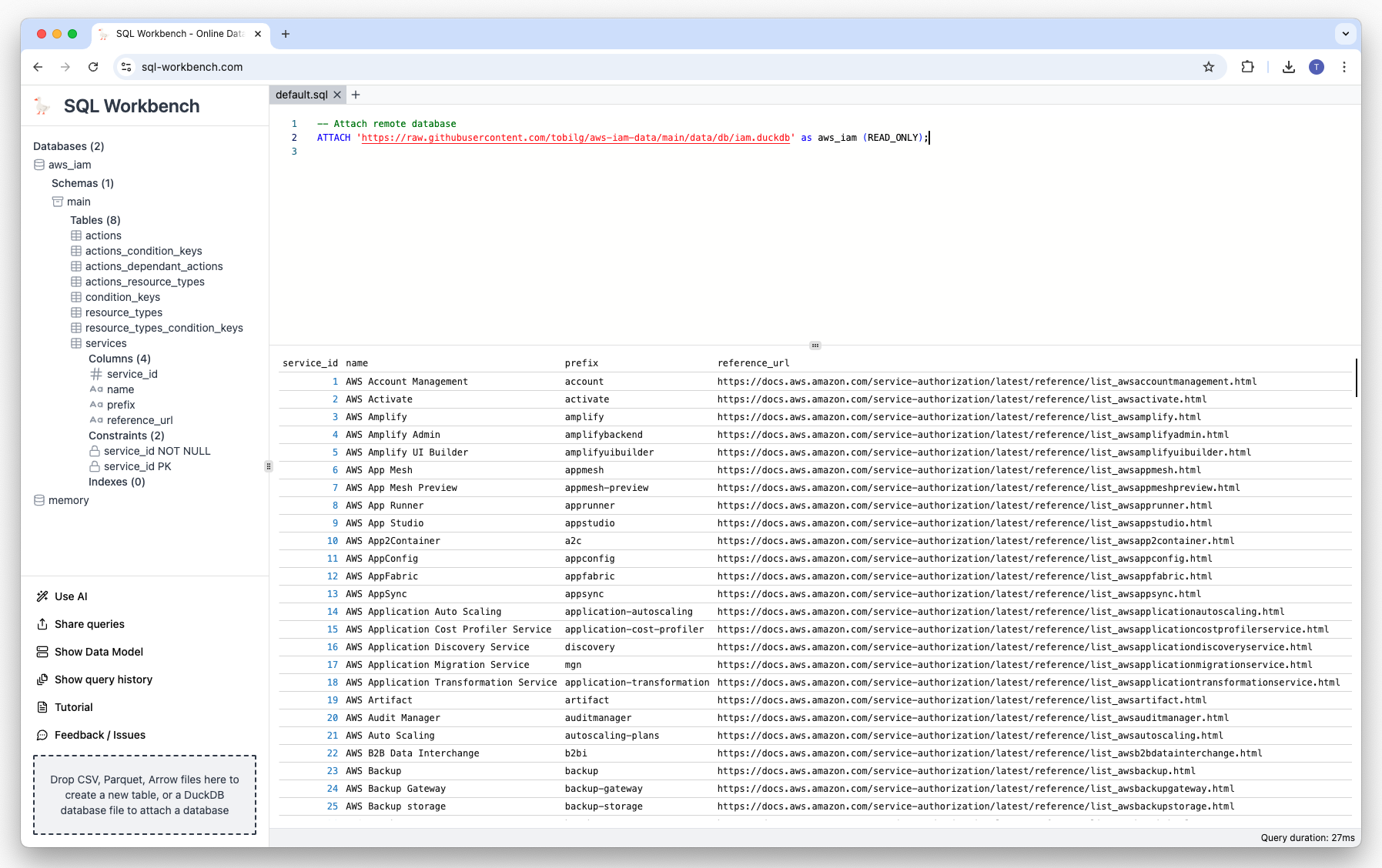
If you right-click on a table name, a context menu is shown that has different options:
- Generating scripts based on the table definition
- Truncating, deleting or summarizing the table
- Viewing table data (all records, first 10 and first 100)
Once clicked, those menu items will create a new tab (see below), and generate and execute the appropriate SQL
statements:
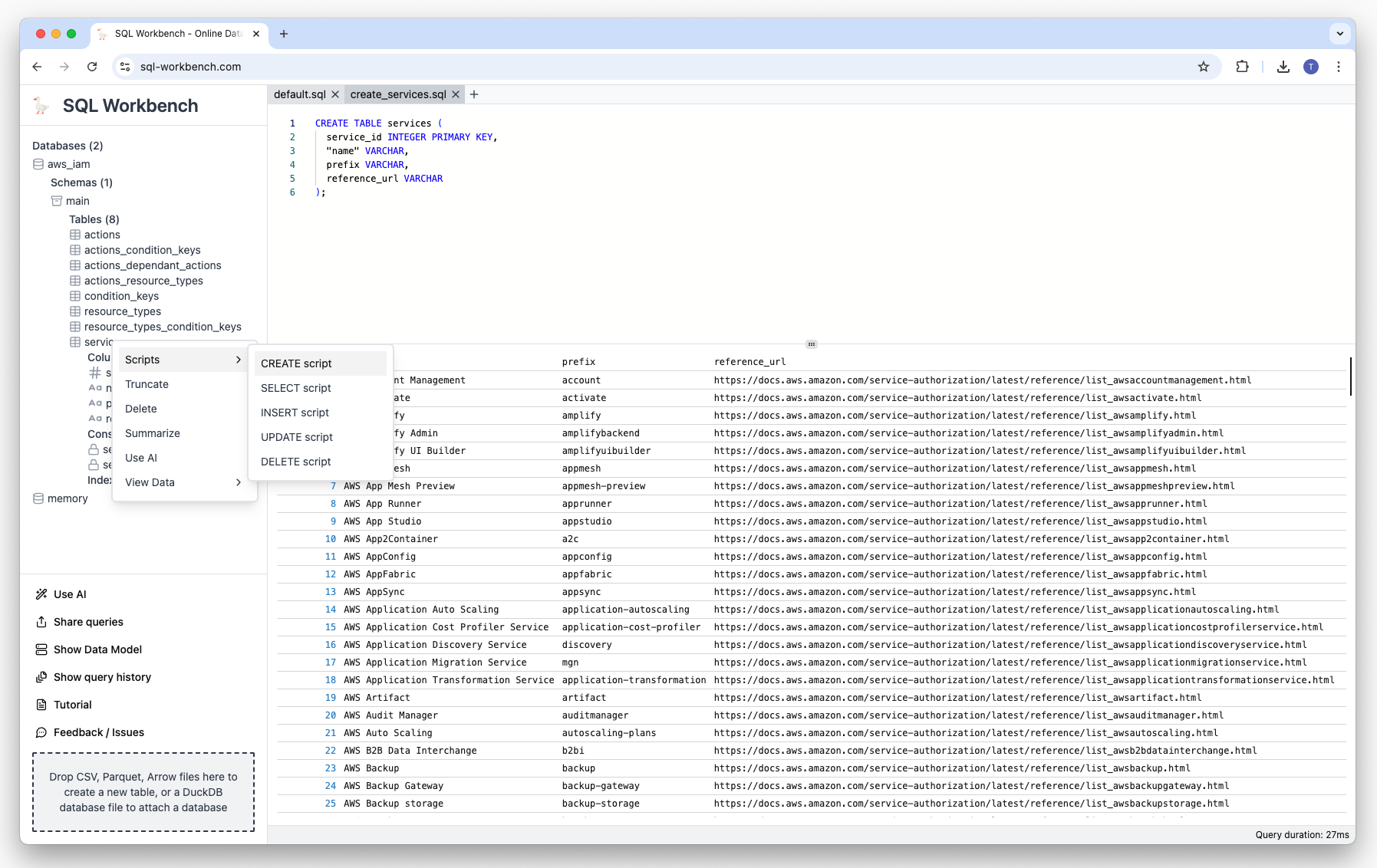
Generated create table script
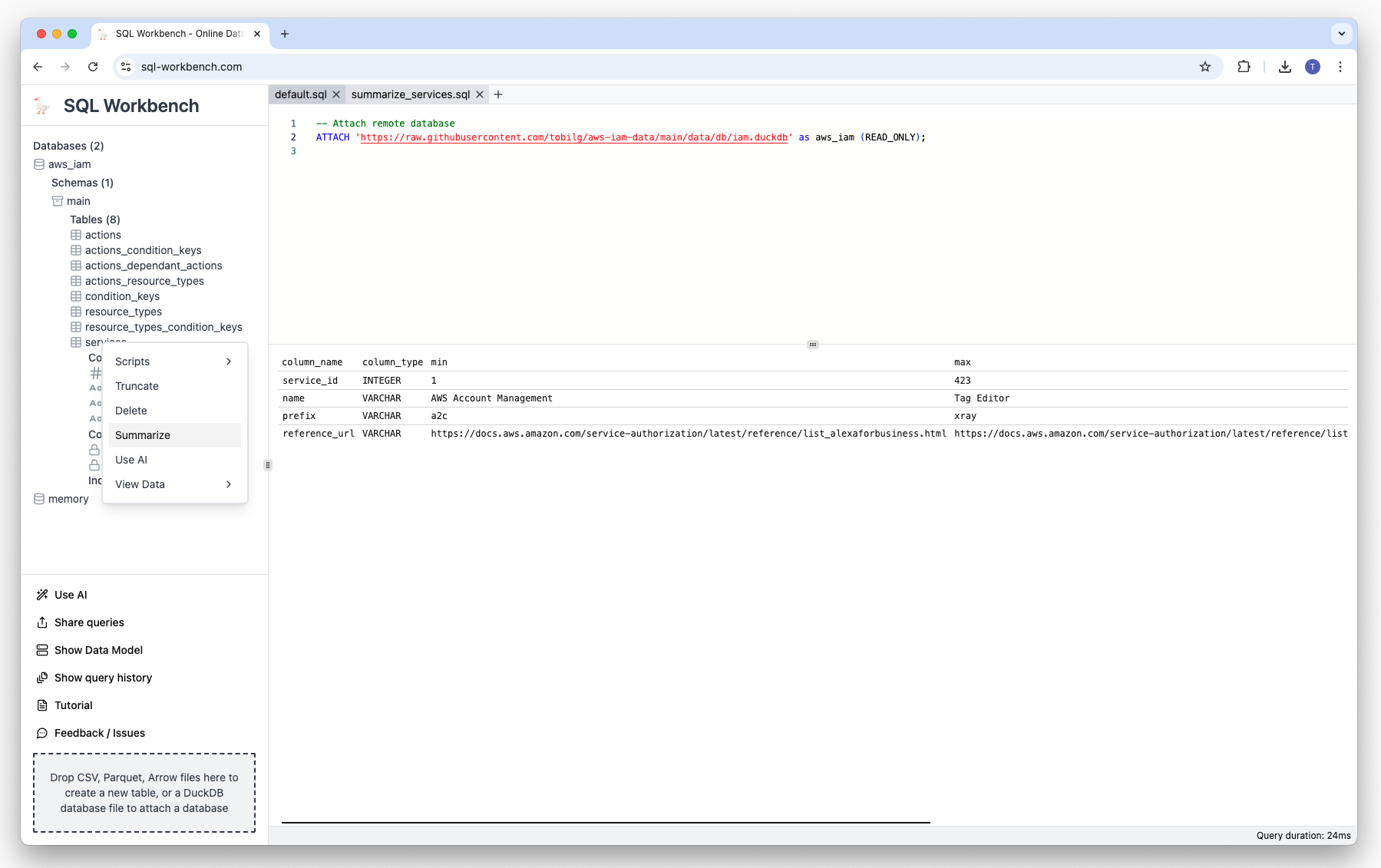
Generated summarize table script
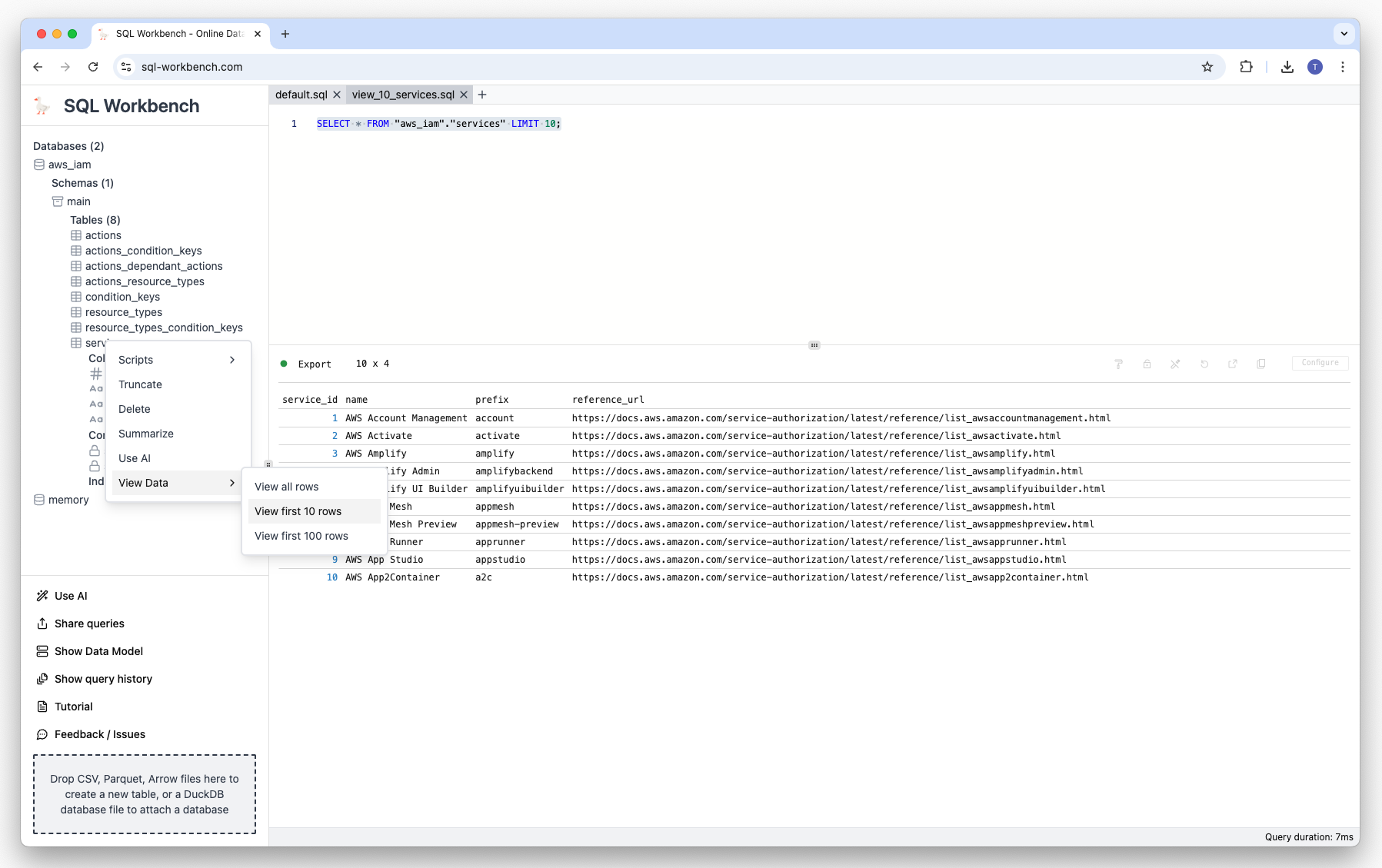
Generated view 10 rows script